Room and floor presence with mmWave nodes
See which rooms and floors are occupied using configurable radar nodes, with presence and device health kept distinct.
HOMESENSE / CONNECTED HOME MONITORING
Bring room presence, security modes, cameras, weather, and home energy into a calm dashboard built around your installation.
Private application. Demonstrations by arrangement.
Inside HomeSense
See which rooms and floors are occupied using configurable radar nodes, with presence and device health kept distinct.
Choose which areas are watched in each mode and keep automatic schedules in the same configuration.
Keep urgent controls visible, with outdoor alarm escalation requiring a person's approval.
Open a linked camera when context matters, review captured event evidence, and keep camera viewing separate from presence sensing.
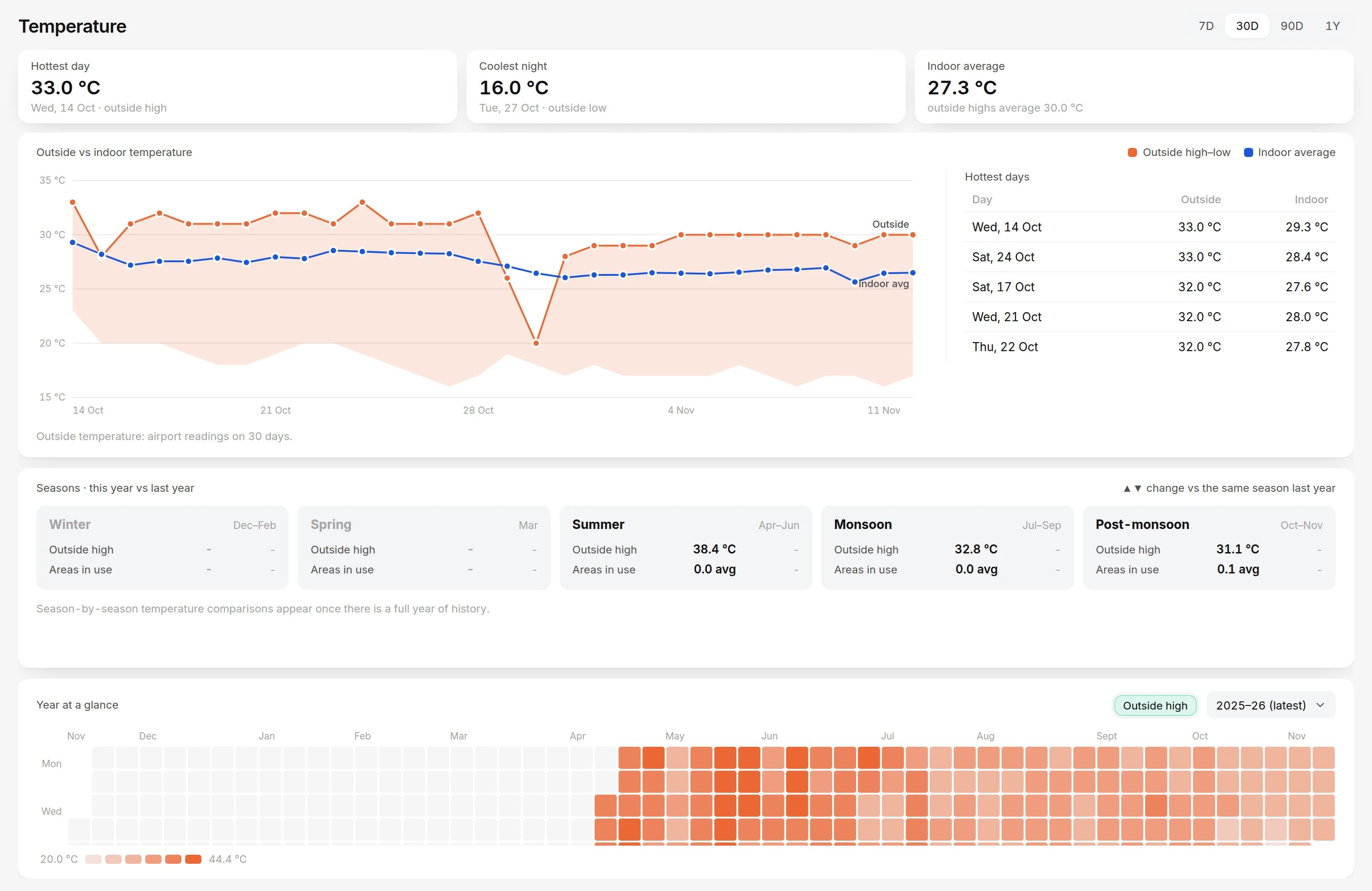
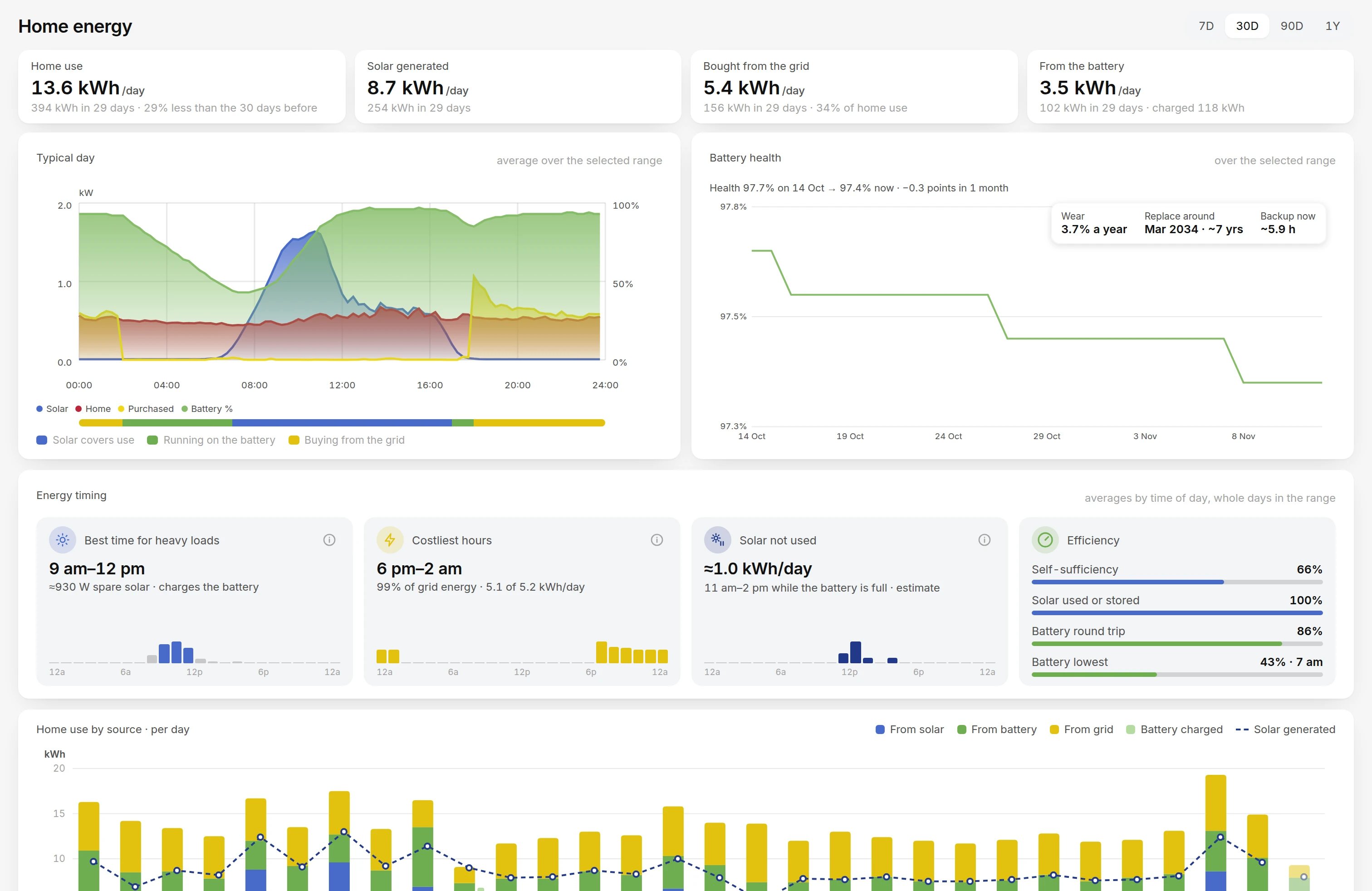
Keep outside conditions, solar flow, battery state, and backup context beside the home overview when those integrations are enabled.
Configure supported nodes from the browser, enable only the modules you need, and keep installation choices recoverable across upgrades.
Bring the home overview and live camera viewer to a TV using the same configured server.
Inside the system
Sense
LD2420 presence + range over UART
Publish
ESP node sends fresh MQTT observations
Validate
Boot, sequence, source samples and age
Interpret
Occupancy hold + separate health state
Decide
Profiles, confirmation and approval gate
Context
Dashboard, evidence and read-only energy
01 / MECHANISM
Supported firmware parses LD2420 UART presence and range lines. Non-retained MQTT snapshots carry boot identity, sequence, actual source-sample count and source age, so a repeated transport message does not become a new physical observation.
02 / MECHANISM
The ingest path distinguishes fresh readings, retained state and connection uncertainty. Server occupancy holds smooth the room view, while configurable confirmation examines coherent movement or sustained fresh presence. Sensor health remains visible independently.
03 / MECHANISM
Indoor warning and outdoor approval use distinct state. A persisted nonce and current-mode checks fence decisions; late approval needs additional confirmation. The dashboard and supported Telegram controls answer the same request, with no automatic timeout approval.
04 / MECHANISM
Camera jobs retain event and actual capture times, deduplicate work and bound retained media. Optional energy and weather modules add timestamped context. Energy integration monitors readings; it does not issue inverter control commands.
Implementation parameters · not benchmarks
Source timing parameters describe the sensor pipeline. Occupancy and confirmation settings remain installation-specific; they are not detection-accuracy or alert-latency benchmarks. Optional external integrations require connectivity.
Read the full engineering storyHow it works
A closer look
Room state, optional floor views and linked cameras share the same installation context. A native Android TV companion brings the overview to a larger screen.
/ workflow
Presence → Context → Deliberate action
Conceptual workflow · configured for your environment
Practical questions
No. Configurable mmWave nodes report room presence, separately from device health. Calibration and hold settings matter; this does not establish identity or guarantee zero missed or false alarms.
Outdoor escalation requires explicit human approval. Home, Night and Away profiles and schedules determine monitoring context. HomeSense is a configurable monitoring application, not a certified professionally monitored safety system.
Core installation workflows are local-first. Optional weather, Telegram and energy integrations can depend on external services. Energy integration is monitoring-only and does not control the inverter.
Supported sensor hardware, reachable services and installation-specific configuration. A configuration export excludes credentials, accounts and history; it is not a full private-data backup. Contact us to discuss a demonstration.
Make it work for you