Workspaces, projects and organized image data
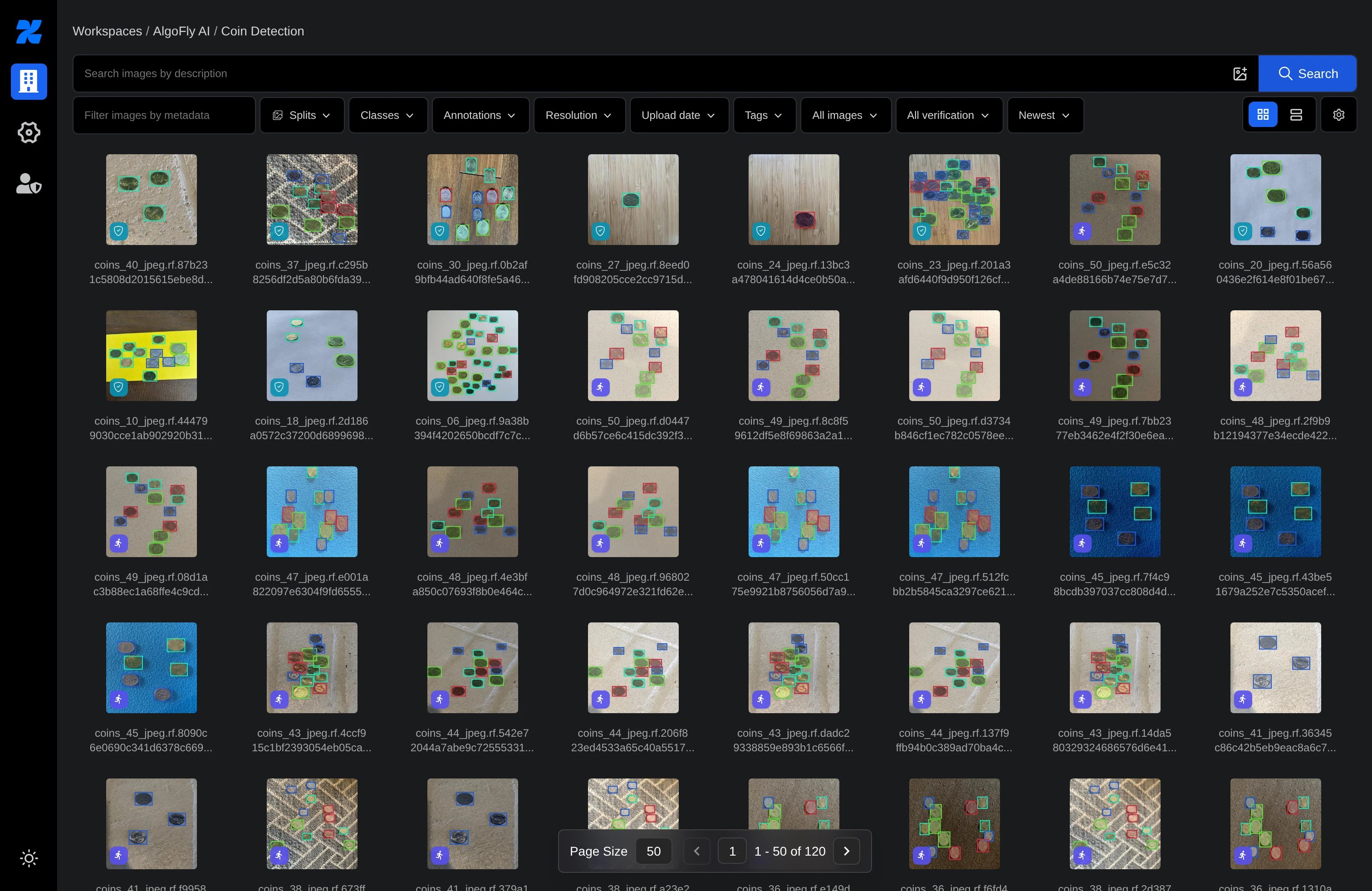
Keep images, classes, tags, metadata and review queues together in a project.
DATAHUB / VISION DATA WORKSPACE
Bring your images into one workspace. Annotate, review, version, and export them—then connect training and evaluation to the same data workflow.
Private application. Demonstrations by arrangement.
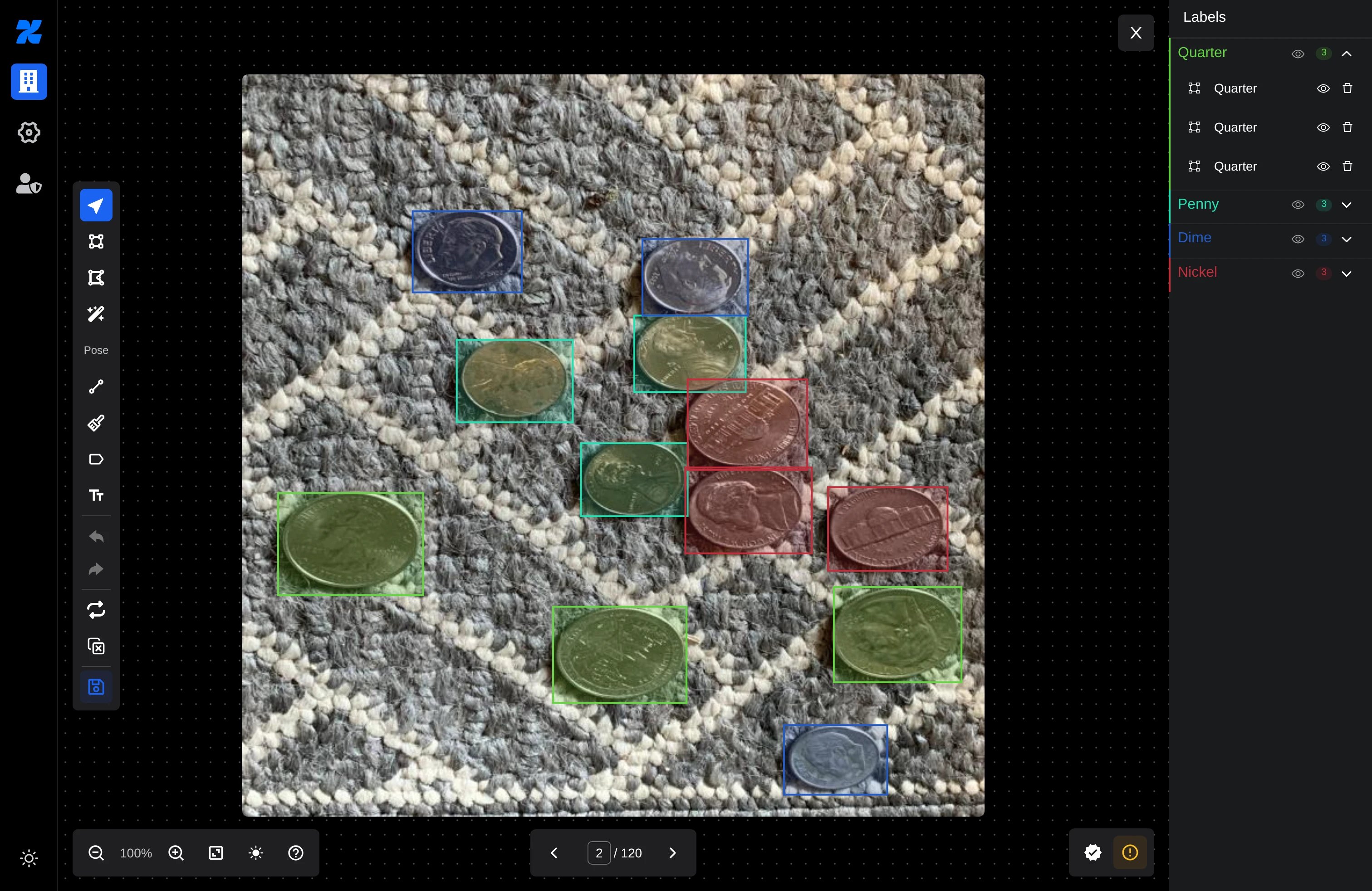
Inside DataHub
Keep images, classes, tags, metadata and review queues together in a project.
Combine boxes, rotated boxes, polygons, masks, points, lines, classification and OCR annotations without splitting the project by task.
Use point and box prompts to start an annotation, then refine the geometry in the editor.
Review labels together, track human verification, and keep agreement with model output separate from review status.
Freeze a reviewed dataset with train, validation and test splits, while keeping source selection and negative examples explicit.
Export the version your next tool needs: YOLO, COCO, masks, OCR, classification folders and other supported formats.
Upload datasets, iterate images, update labels, create versions, and download exports from Python or the command line.
Run supported training recipes on registered workers, with job status, metrics and model artifacts retained in the project.
Keep weights and outputs tied to their run, convert supported artifacts, and evaluate predictions against a frozen dataset.
Engineering the dataset
Geometry, revision checks and explicit dataset identity connect annotation to reproducible work.
Organize
Project images, classes and review scope
Annotate
Image-relative geometry and SAM-assisted proposals
Commit
Revision checks and recoverable source publication
Materialize
Versioned splits, snapshots and explicit negatives
Execute
Registered workers and fenced experiment claims
Inspect
Artifact lineage, conversion and held-out evaluation
01 / MECHANISM
A drawn object carries image-relative geometry, not just canvas coordinates. Type-specific normalization preserves boxes, points, lines, masks and richer shapes. Source-image transforms stage new pixels and thumbnails with checksums, then publish a recoverable intent alongside validated annotations. Revision checks prevent a draft from silently saving against changed pixels.
02 / MECHANISM
Live cursors and temporary previews help annotators work together without becoming saved ground truth. Committed updates carry image-source and annotation revisions. The client ignores older snapshots, while conditional writes detect conflicting state. A changed source preserves the local draft and asks the annotator to reopen the image.
03 / MECHANISM
Version builds materialize selected data, classes, splits and transformations. Intentionally saved empty images remain distinct from unreviewed images or labels removed by filtering. Format-specific exporters preserve the semantics their target supports; disk-backed manifests keep ordered archive entries and enforce unique names within a bounded resource budget.
04 / MECHANISM
Training submissions connect a version and export to a registered worker. Stable retry identities, request fingerprints and fenced worker claims protect the run lifecycle. Output checksums identify artifacts; conversion validates source lineage and target shape contracts. Evaluation requires explicit class mapping onto model outputs instead of guessing label order.
Implementation mechanisms from the current source audit. Source compatibility, worker hardware and published runtimes govern availability; no training speed or model accuracy benchmark is implied.
Read the full engineering storyHow it works
A closer look
Keep train, validation and test splits attached to a frozen selection. Make negative examples explicit, then export the version your next tool needs.
/ workflow
Images → Labels → Review → Version → Training
Conceptual workflow · configured for your environment
Practical questions
Yes: boxes, rotated boxes, polygons, masks, points, lines, classification, OCR and supported pose labels can share a project. Export formats have different geometry limits; choose the format for your downstream task.
SAM uses point or box prompts to propose geometry that you refine. It requires the appropriate service and source support. Human review remains a separate step from model agreement.
Supported recipes run on registered Docker workers. CUDA jobs need compatible hardware, drivers and toolkit. Available recipes, runtime images and artifact conversions have specific compatibility requirements; some runtime publication and target validation remains in progress.
DataHub deployments are private. Contact AlgoFly for a demonstration of your annotation, dataset or training workflow.
Make it work for you