Remote torrent management
Add a magnet link, follow progress, and manage downloads on your own server.
AUTOLYCUS / HOME SERVER COMPANION
Search, download, organize, and play files from a self-hosted home-server workspace built for your phone and desktop.
Public source. Self-host on your infrastructure.
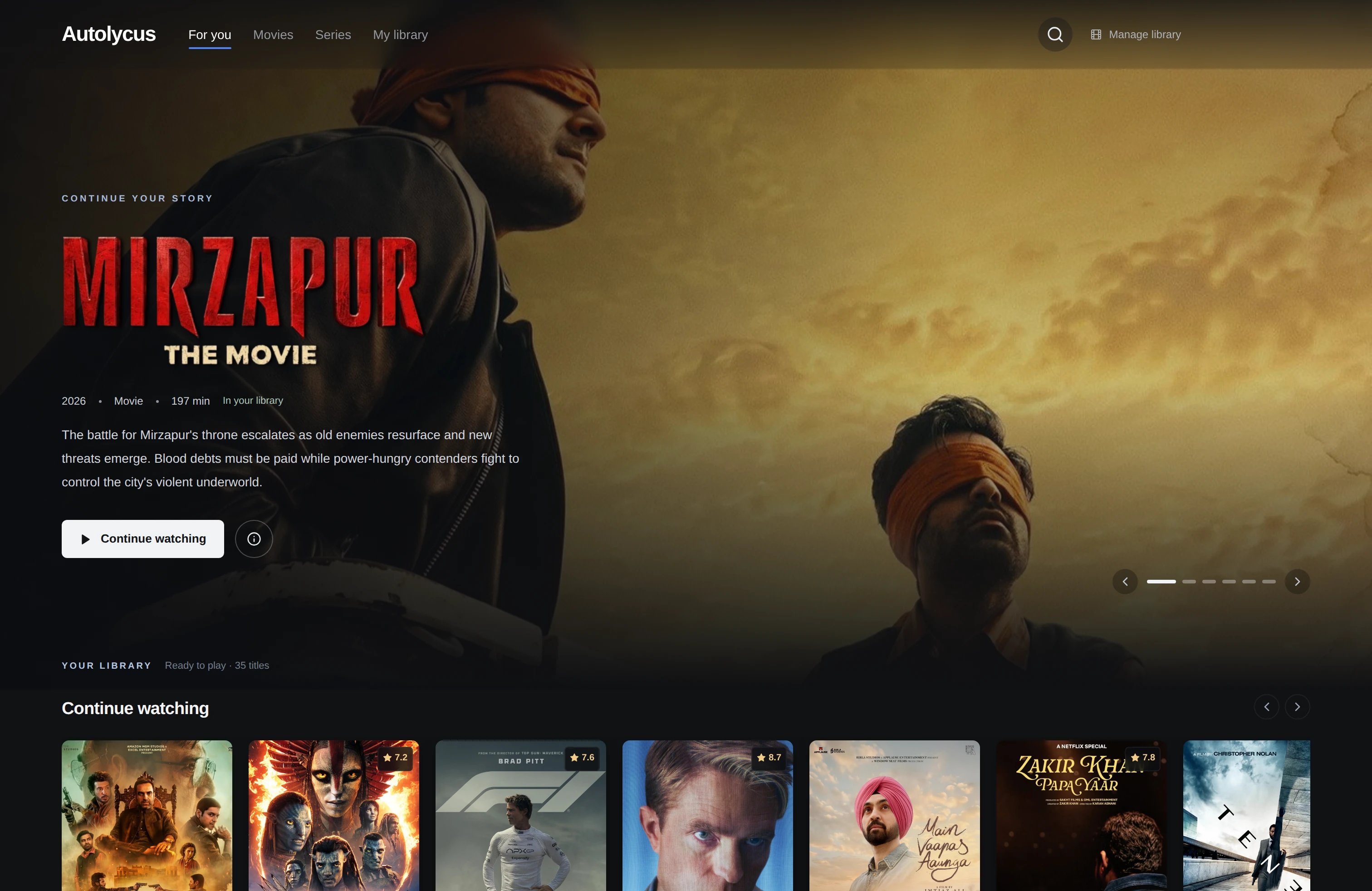
Inside Autolycus
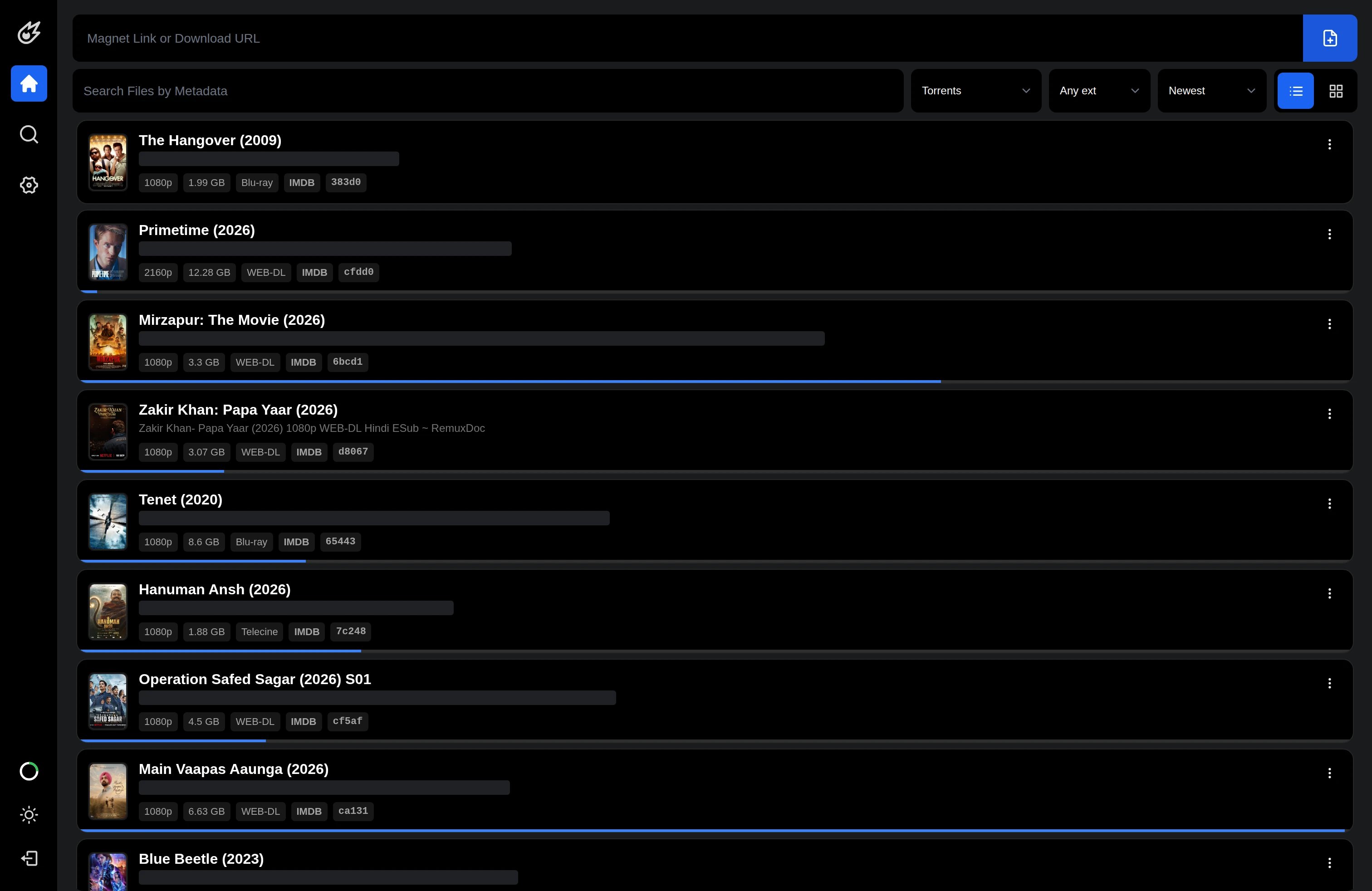
Add a magnet link, follow progress, and manage downloads on your own server.
Browse search results as sources respond, then filter and sort what has arrived.
Find a file, browse folders, and organize the result without copying your collection to every device.
Open compatible media from the browser and seek through files stored on the server.
Create another video resolution in the background and keep an eye on progress.
Choose when to activate a file link, and connect supported desktop workflows through the account's FTP access.
Engineering the workflow
Autolycus connects concurrent source search, native torrent pieces, byte-oriented playback, and background media jobs.
Search
Concurrent Jackett sources emit NDJSON
Inspect
Account-scoped metadata preview lease
Acquire
Piece deadlines and selected-file priorities
Play
Byte ranges or leased native byte transport
Process
Queued encoding with atomic output publish
Resume
Catalog metadata plus profile bookmarks
01 / MECHANISM
Async Jackett requests run behind bounded semaphores and emit newline-delimited JSON as each source completes. Typed errors preserve successful results. The newer implementation replays bounded cached batches, refreshes them by source, and cancels pending work when the browser disconnects.
02 / MECHANISM
Temporary preview leases begin with metadata-only intent and zero file priorities. Playback maps byte offsets to torrent pieces, assigns immediate deadlines to requested pieces, and maintains a bounded read-ahead window. Verified pieces are read in small chunks; idle or cancelled previews release demand.
03 / MECHANISM
Cinema scans the account library within fixed work limits, combines filename parsing with stored metadata, and groups titles and episodes. The cached account catalog is joined with profile-specific bookmarks, keeping a shared video collection separate from each viewer’s progress.
04 / MECHANISM
Celery workers acquire bounded Redis encoding slots and renew their leases while tracking progress. Encoders write hidden partial outputs, support process-group cancellation, and publish completed files atomically. Playback enumerates ready quality variants rather than exposing files still being written.
Implementation parameters · not benchmarks
The public repository provides the download-and-file foundation; Cinema, profiles, previews, and newer playback mechanisms shown here reflect the current development deployment.
Read the full engineering storyHow it works
A closer look
Start a background transcode or archive, follow its progress, and come back to the result. Your browser remains the workspace while your server handles the job.
/ workflow
Search → Download → Organize → Play
Conceptual workflow · configured for your environment
Practical questions
You can manage magnet-based downloads from sources you are authorized to use. Availability and speed depend on the swarm, storage and network. Jackett search requires a configured, accessible service.
Playback depends on browser codec support. Background transcoding creates another output resolution; it is not universal live adaptive streaming or a promise of hardware acceleration.
Activate a public link deliberately and deactivate it when no longer needed. Anyone holding an active public link can access that file. FTP access is not automatically encrypted FTPS or SFTP.
Yes. The public repository documents the Docker-based application and its backing services. You manage deployment, storage and maintenance on your own infrastructure.
Make it work for you