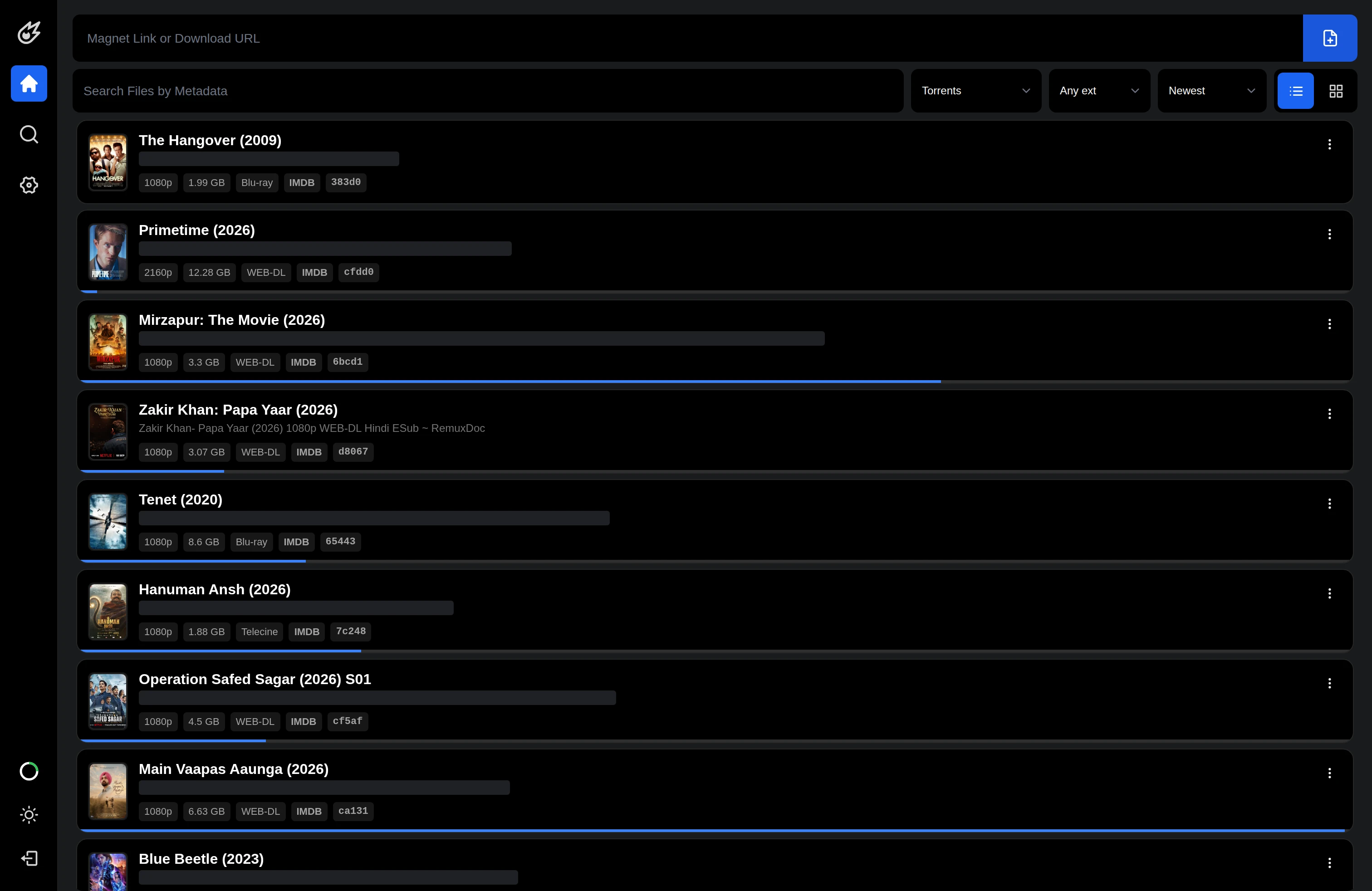
Autolycus turns a home server into a place to find, download, organize, and play media from a browser. The server owns the files and the heavy background work; your phone or laptop supplies the interface. You can start with a magnet link, inspect a multi-file download, find something already in your library, and resume playback without copying the collection onto each device.
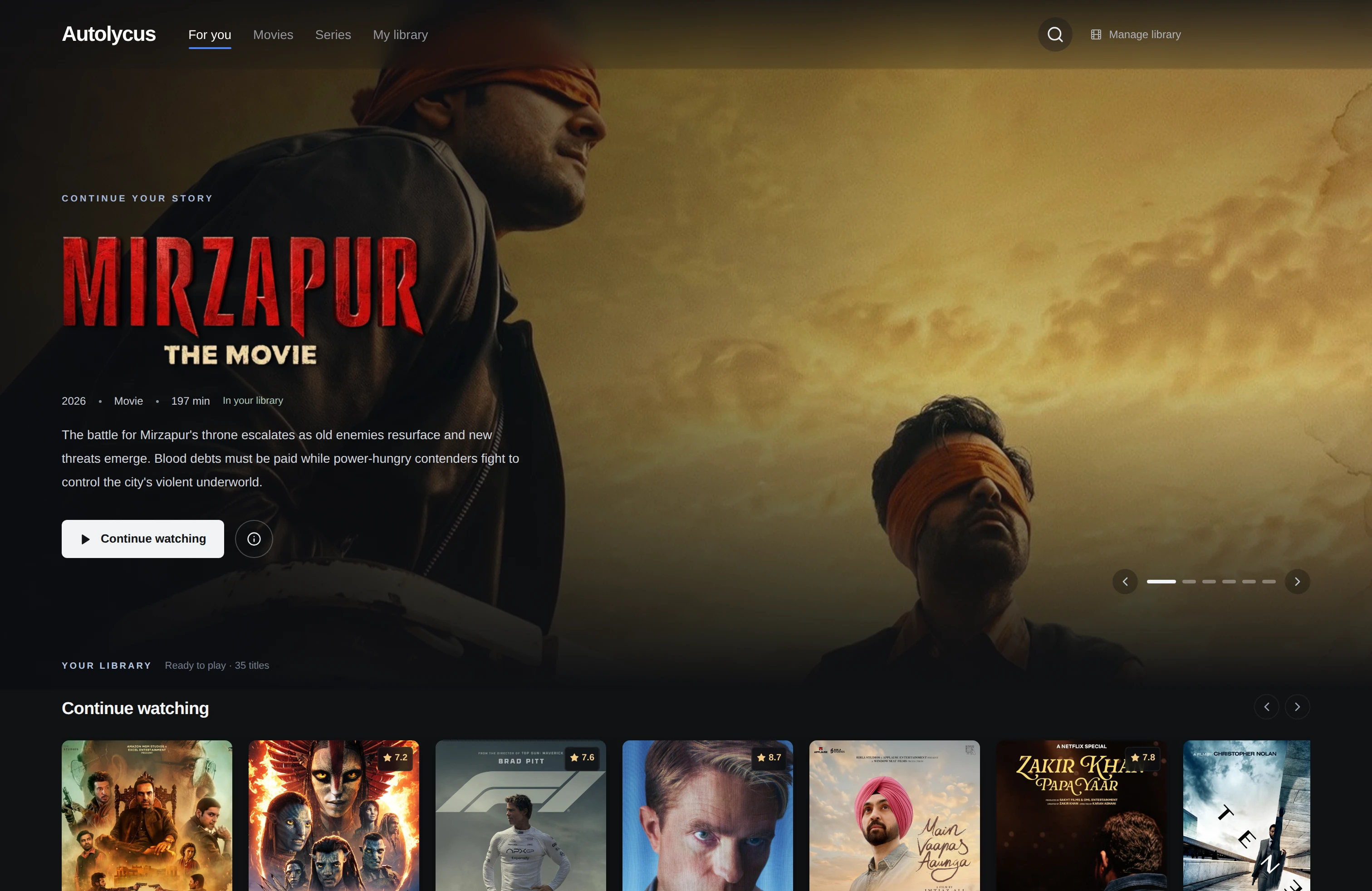
We have developed that foundation into two complementary experiences: a download manager for transfers and files, and a Cinema home for browsing titles, episodes, and viewing progress. The interesting engineering connects them: asynchronous search, torrent-aware buffering, byte-range playback, metadata catalogs, and jobs that publish completed outputs without exposing half-written files.
The public repository provides the open source download-and-file foundation. This article also explains newer Cinema, preview, and playback mechanisms inspected in our current development deployment. Those additions are identified below because cloning public main at the reviewed revision does not reproduce every newer screen.
Why build a web companion for a home server?
A transfer is only one stage in a longer workflow. A torrent can contain several files; a completed video may need subtitles or another encoding; a series has episodes and a place to resume. Autolycus keeps those operations near the stored data and gives the browser a consistent way to request them.
That changes the role of the client. It sends control requests and receives search records, progress, metadata, or the bytes needed for playback. Long downloads and conversions continue on the server. Browser responsiveness and worker throughput become separate engineering concerns, so opening a page does not require waiting for an archive or encoding job.
The application architecture
| Layer | Implemented responsibility |
|---|---|
| Next.js and React | Download controls, file explorer, media player, and newer Cinema interface |
| FastAPI | Authenticated application routes, streaming responses, playback control, and task submission |
| libtorrent | Native torrent sessions, peer discovery, piece availability, and selected-file priorities |
| MongoDB | Accounts, torrent records, media metadata, profiles, and playback bookmarks |
| Redis and Celery | Shared progress, bounded caches, locks, and background task queues |
| Meilisearch | Indexed file and directory search with account and content filters |
The public startup script starts Celery with the transcoding, archive, and file_operations queues alongside Uvicorn. Storage is mounted persistently into the application. The newer development tree also contains a Rust runtime for process supervision and byte-oriented playback services. The API remains the control boundary while workers and native components perform the longer operations.
One query becomes concurrent source searches
Autolycus uses Jackett as an adapter between its search interface and configured torrent indexers. In the public implementation, AsyncJackett.list_indexes discovers configured sources, _search_index requests one source, and search creates tasks and consumes them with asyncio.as_completed. A semaphore bounds concurrent indexer work instead of letting one query create unlimited outbound requests.
This distinction matters to the interface: results from a completed source can appear while another source is still waiting. Errors become typed indexer_error records, allowing successful results to remain useful. Result titles pass through the torrent-name parser to expose structured properties for presentation and filtering.
The HTTP response is newline-delimited JSON: each yielded object is serialized with a trailing newline. It is served with application/json in the reviewed route, but the body is a sequence of records rather than a single JSON array. It is also distinct from Server-Sent Events: there are no required data: lines or blank-line event separators. A streaming client must retain an incomplete trailing record across network chunks before parsing complete lines.
Cancellation travels back through the same workflow. The public route notices a disconnected request and sets a shared cancellation event; the search generator cancels pending indexer tasks in its cleanup path. The newer route adds 15-second heartbeat records while an iterator is busy, cancels and awaits its pending read, and closes the iterator explicitly. A changed query should release obsolete work as well as replace what the user sees.
For a focused walkthrough of this protocol and its interface, see the Autolycus and Jackett streaming-search article.
Cached results first, fresh source batches next
The newer implementation adds SearchAcceleration. Its cache key includes the configured backend, normalized query, selected indexes, and deep-search mode. Complete source batches can be replayed immediately and replaced as fresh source results finish. This keeps a cached response distinguishable from current results rather than blending both into an unexplained list.
The cache has concrete limits: snapshots expire after ten minutes, each query snapshot is bounded to one MiB, and an atomic Redis script retains at most sixteen query snapshots. Source timing history uses an exponentially weighted estimate of latency and success to order future requests. Each search round also limits itself to four source requests at once, alongside the instance-wide semaphore, so one tab cannot occupy every source slot ahead of other searches.
Deep search can try broader keyword variants when a round finds nothing, using a longer source timeout. Cached raw rows receive their resolution metadata when they are emitted for the requesting account. These are scheduling and reuse mechanisms: source availability and the quality of a query still determine which results exist.
Inspect a torrent before committing to a full download
The current development tree adds short-lived torrent previews through TorrentPreviews. A preview begins as a metadata lease in libtorrent's upload_mode, with file priorities set to zero. Inspecting a torrent's contents therefore does not request all its file pieces. The lease is tied to the authenticated account and stored in a random temporary directory.
The implementation bounds preview work to four leases globally and two per account. It rejects oversized catalogs and unsafe torrent paths, including traversal and symlink entries. An idle lease expires after fifteen minutes; a cleanup thread also suspends piece requests after playback becomes idle. Those limits make a preview a deliberately temporary resource rather than an invisible permanent download.
Playback maps the requested file offset to torrent piece indices using the file's offset within the torrent and its piece length. Current pieces receive immediate deadlines, and the following read-ahead window receives staggered deadlines. Pieces outside the current window lose their requested priority. Seeking can therefore move the active demand to a different part of the torrent rather than forcing a sequential download from the beginning.
The read path waits for have_piece before opening the corresponding bytes on disk. Reads are bounded to 256 KiB, the normal read-ahead window is sixteen MiB, and low free space prevents new buffering when required pieces are missing. Timeouts and cancellation stop a stalled request from waiting indefinitely. Playback remains dependent on peers actually supplying those pieces and on the browser supporting the media format.
Selected-file download is a separate handoff. The preview produces validated metadata and chosen file indices, the API serializes duplicate additions with a Redis lock, stores the torrent record, pauses the preview session, and starts the permanent download with those priorities. This path currently requires a v1 or hybrid torrent for the permanent-download handoff.
Browser seeking is a byte-range operation
For a stored file, handle_stream_file parses the HTTP Range header and streams the requested interval. A valid partial request returns 206 with Content-Range, Content-Length, and Accept-Ranges; an invalid interval returns 416. The current iterator yields bounded chunks instead of loading the video into memory.
Range: bytes=1048576-2097151

HTTP/1.1 206 Partial Content
Content-Range: bytes 1048576-2097151/TOTAL_SIZE
Accept-Ranges: bytes
The newer playback controller also negotiates a direct byte-oriented playback connection through a loopback native control service. The API binds a random connection identifier to a hash of the browser session and refreshes a short Redis lease. Closing or failing to renew that lease releases the connection. HTTP range delivery remains a separate transport path; choosing another transport does not convert an unsupported codec into a supported one.
Quality enumeration looks for completed sibling encodings using the expected resolution naming convention. It omits outputs still marked as transcoding. Subtitle enumeration is bounded and accepts matching SRT or VTT sidecars. This lets playback discover ready alternatives without starting a media probe or conversion every time a viewer opens a title.
Cinema builds a library from files and metadata
The newer Cinema home is backed by an account-scoped catalog, not a second media store. scan_library walks the account directory, excludes unfinished torrent roots, ignores symlinks and hidden files, and filters samples and extras. Work is bounded by directory depth, visited entries, returned videos, and elapsed scan time. The response exposes whether the scan hit a limit.
catalog_groups combines filename-derived information with stored path or torrent metadata. It groups titles by normalized name, year, and media kind; extracts season and episode information; orders episode files; and prefers a higher-resolution copy when several files represent the same episode. Existing resolution variants are hidden from the top-level catalog when their original is present.
The resulting account catalog is cached for ninety seconds when it fits the configured payload bound. Profile-specific progress is joined after reading that shared account catalog. A completed episode can advance the resume action to the next available episode, while alternate profiles keep their own viewing position.
Discovery is a distinct metadata operation. cinema_discovery normalizes public title records, validates identifiers and image URLs, and builds shelves from cached catalog metadata. Its store is bounded by both entry count and total bytes. A discovery card is not a claim that the file exists locally: owned-library state and public metadata have different sources and are joined in the interface.
Profiles, bookmarks, and indexed file search
Profiles belong to an account. profile_id accepts the browser's selected profile only after checking account ownership, and the default profile preserves the account's initial media preferences. Bookmark records use a unique compound key of account, profile, and canonical file path, so switching viewers changes progress without duplicating the underlying video.
The bookmark route clamps position to duration, stores completion and update time, and maps encoded variants back to an original path where possible. Batch progress requests are bounded and use limited concurrency. Folder progress can combine episode-level bookmarks rather than treating one recently opened file as the state of the entire directory.
For file management, file_search_index creates stable document IDs from account and relative path. Search applies the account filter together with item type, extension, torrent, sorting, and pagination. Torrent-root documents and ordinary directory documents have distinct flags. The index is a retrieval layer over stored files; rename, move, deletion, and indexing work must keep that representation aligned with the filesystem.
Transcoding and background tasks
Transcoding is explicitly queued work. In the newer transcode_video task, workers acquire one of a bounded number of Redis slots and retry later when all slots are occupied. An active worker renews its lease while reading encoder progress. CPU encoding uses x264; optional GPU encoding checks NVENC readiness before starting.
The worker writes into a hidden partial file, checks the process result and output size, then publishes the finished result with os.replace. Cancellation signals the encoder's process group, waits briefly, and escalates if necessary. Cleanup removes partial files and releases the slot even when encoding fails. These lifecycle details keep an interrupted conversion from appearing as a ready playback quality.
Archives and file operations use their own task queues, while progress lives in shared state that the API can read. A healthy web page and an advancing worker are separate observations. Server CPU, disk throughput, temporary space, and selected concurrency determine how many conversions and downloads can run comfortably together.
Share one file or connect an FTP client
Public links are backed by active records that owners can list and deactivate. The public playback routes resolve the shared key to one file and restrict associated subtitles to matching sidecars. Current direct-playback capabilities use short renewable leases; the underlying public file record itself remains active until deactivated. Link lifetime and connection lifetime are different controls.
The FTP integration has a separate credential flow: an authenticated application user configures FTP access, and a shared-secret hook checks the enabled account and bcrypt password hash before returning that account's home directory. Its friendly-name mode constructs a readable mirror using hard links where possible and copying as a fallback, with list/download permissions. File sharing and FTP therefore offer different interfaces over server storage.
Installing Autolycus
The documented installation targets an Ubuntu server with Docker. Start by cloning the repository and copying its example configuration:
git clone https://github.com/algofly-oss/autolycus.git
cd autolycus
cp env.example .env
Review .env before starting the stack. In particular, choose the persistent downloads location and replace example credentials. The current Compose file accepts DOWNLOADS_PATH for the host directory, with a default beneath the repository’s volumes directory.
The README includes a certificate-generation helper for the proxy:
cd proxy
chmod +x generate_certificate.sh
./generate_certificate.sh
cd ..
docker compose up -d
Use a current Docker Compose installation: the repository uses Compose features such as included service files. Inspect the effective configuration and container status before relying on the installation:
docker compose config --quiet
docker compose ps
docker compose logs --tail=100 api
The first startup builds images and initializes the backing services. Keep the persistent directories outside any cleanup routine used for temporary source files.
Storage and remote-access considerations
Keep downloads, application records, and indexes persistent, and size temporary storage for previews, archives, and converted outputs. The newer preview and encoder limits deliberately bound individual workflows, while total capacity still depends on the host. For remote access, configure the proxy, certificates, and account access for the installation you actually run.
Autolycus connects several useful systems without collapsing their responsibilities: Jackett discovers results, libtorrent acquires verified pieces, the filesystem holds artifacts, workers transform them, and the browser makes them accessible. Cinema builds on those same stored files to make the result a library you can browse and resume.
Try it and explore the source
- Autolycus source and installation guide
- Application deployment configuration
- File, streaming, and background-task endpoints
- How concurrent Jackett search reaches the browser
Source review: public main 5199c87, plus the current development source snapshot based on 6a83e79 for the explicitly identified newer mechanisms. This is an implementation walkthrough, not a server or network performance benchmark.